Getting Started
Scrybe is an automated way to keep track of all your data science artifacts in one place.
Installing scrybe package
Install scrybe Python package with
pip3 install --user --extra-index-url http://15.206.48.113:80/simple/ --trusted-host 15.206.48.113 --upgrade scrybe
Registering
Register by navigating to dashboard.scrybe.ml.
Setting up your environment variables
Set the environment variables SCRYBE_USER_KEY and SCRYBE_SERVER_HOST so that your work becomes automatically visible on Scrybe Dashboard.
Getting environment variable values
SCRYBE_USER_KEY should be picked from dashboard. Log into the dashboard with your Google account. Then navigate to the homepage. Locate your SCRYBE_USER_KEY under the Access Details tab on the left pane as shown below.
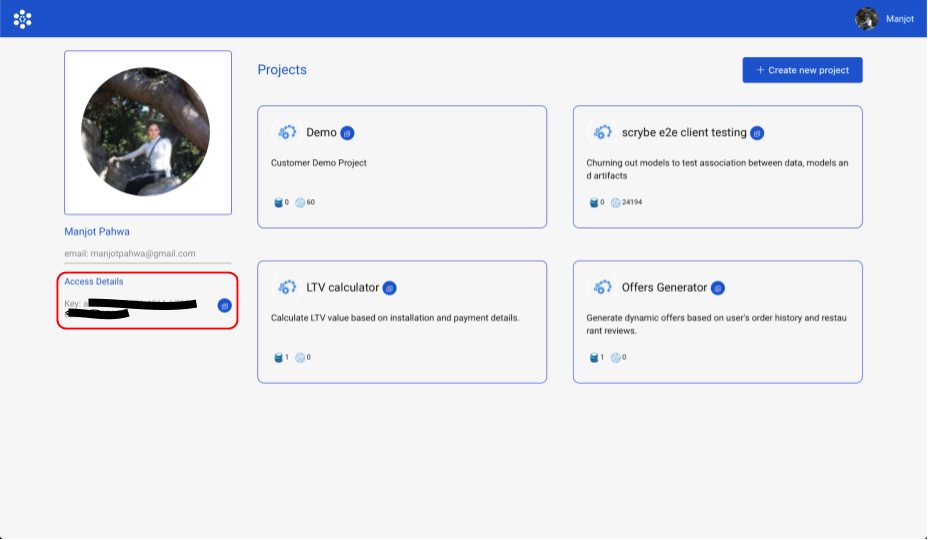
Setting environment variables
There are two ways to set your environment variables. One is by exporting them in your ~/.bashrc file for Linux and ~/.bash_profile for MacOS. Such as:
export SCRYBE_USER_KEY="<my_scrybe_user_key>"
export SCRYBE_SERVER_HOST="3.6.105.91:5001"
The other way is to add a ~/.scrybeenv file such as the following:
SCRYBE_USER_KEY=<my_scrybe_user_key>
SCRYBE_SERVER_HOST=3.6.105.91:5001
Note the absence of “export” keyword in the ~/.scrybeenv file entries.
Creating a new project or reuse existing one
Creating new project
You can create a new project by clicking on the “Create Project” button on the top right.
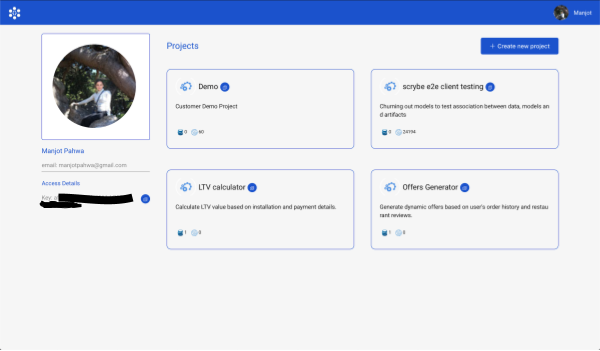
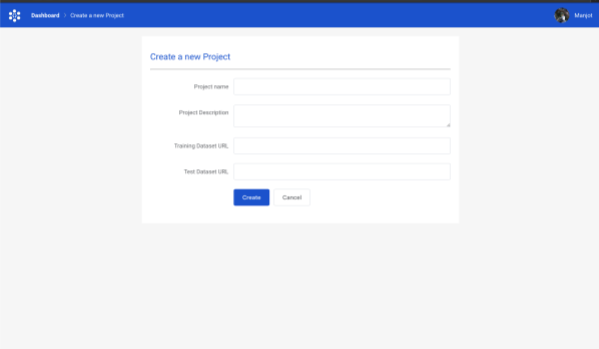
Reusing an existing project
Otherwise you can choose an existing project and work with that. For the purpose of this guide, let’s select the project “Demo”.
Instrumenting Code
In your preferred IDE, add the following:
import scrybe;
scrybe.init("Demo")
Now run the notebook once. Navigate to the Scrybe dashboard. Your models, data, metrics should start showing up. Note that the import statement has to be the first line of your script.
Supported Frameworks
Supported frameworks for automated tracking include:
- Keras
- Scikit-learn
- Xgboost
- Pandas
- Numpy
- LightGBM
- Matplotlib
- Pyspark
Besides the above, if your library uses NUmpy arrays or Pandas dataframes underneath, they should also be automatically tracked.
Supported languages:
- Python >= 3.5
Note you can use any IDE with Scrybe.